
If your team is still using ChatGPT in a separate tab, you’re leaving 90% of the value on the table. Integration is what separates AI hype from AI that actually delivers results.
When most teams say they “use ChatGPT,” what they usually mean is that someone is pasting text into it when they’re stuck. That’s helpful. But it’s not integration. The interesting things start happening when ChatGPT is actually connected to your tools so it can see the context behind the work instead of guessing.
Once ChatGPT lives inside the systems you already rely on, it stops being a clever shortcut and starts acting like part of the workflow. Companies doing this right report smoother processes and real improvements in output quality. In this article, we’ll walk through how that shift works and why it’s becoming a competitive advantage.
Understanding ChatGPT integration
Most teams today use ChatGPT at work, but what they really mean is something closer to a side workflow. Some even use setups like Chat GPT Bing integration, which helps them query the web directly, but this still doesn’t replace the value of deeper system-level integration.
The difference between using ChatGPT and integrating ChatGPT is huge. The real shift happens when ChatGPT stops living in that separate browser window and starts living inside your systems. When it reads the right context directly from your CRM or helpdesk and when it follows your rules, not generic assumptions. That’s the moment ChatGPT turns from a personal helper into a genuine productivity layer woven into day-to-day operations.
In simple terms, ChatGPT integration means connecting a powerful language model to the systems your team uses every day.
Why ChatGPT is a practical foundation for business integrations
This is something leaders ask all the time. With models like Claude, Gemini, and open-source LLMs improving quickly, why do so many organizations still start their AI journey with ChatGPT?
The answer lies not in a single benchmark score, but in the integration-ready ecosystem around ChatGPT that makes it far easier to embed AI into real workflows without reengineering your tech stack. At this step, many teams work with a data analytics company to ensure their internal data is ready for AI-driven automation.
However, ChatGPT alone doesn’t create value until it’s actually integrated. As we’ve already mentioned, many companies still use it informally. Helpful, yes, but limited. Every person uses their own prompts and their own process, and none of that intelligence feeds back into your systems.
Proper Chat GPT integration is what closes this gap. Once it is actually connected to your internal stack, it can:
- See the correct context directly from your systems;
- Follow your organization’s rules and templates;
- Automate repetitive tasks through GPT integration.
And while other LLMs have strengths of their own, ChatGPT currently offers one of the most integration-ready environments for real-world LLM development.
Top 10 Real-Life Applications of Large Language Models
3 Essential Machine Learning Techniques That Businesses Need to Know About

AI Strategy Consulting: Key Benefits, Components, and Steps Explained
Benefits of integrating ChatGPT into your business
Once AI becomes part of your core systems, improvements show up quickly and measurably. The biggest gains appear in the everyday work people already do, and below are some of the most tangible benefits companies see when they integrate ChatGPT into their workflows.
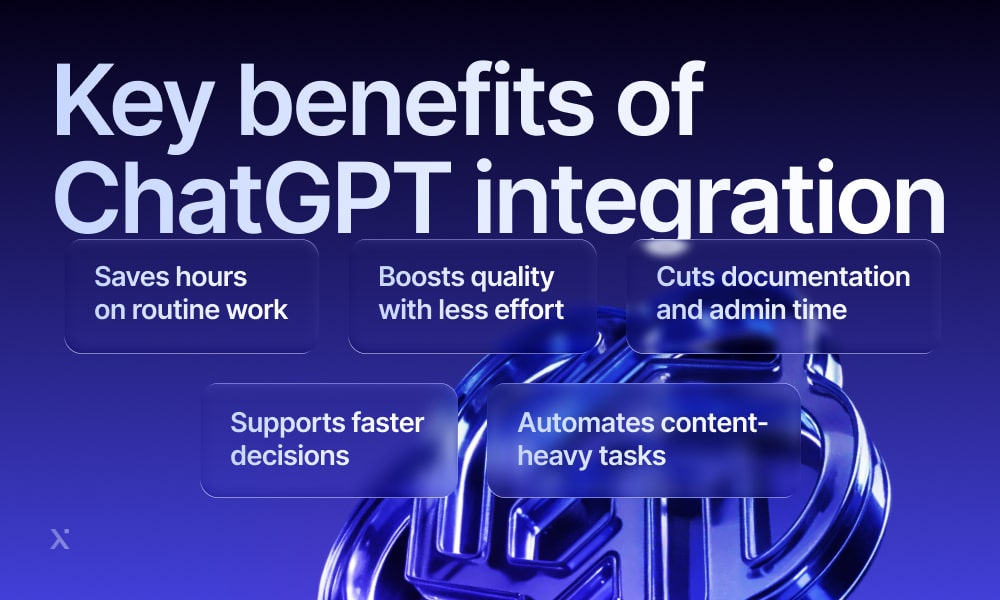
1. Saving hours every week from routine work
When ChatGPT is embedded into internal tools, employees gain back time they typically lose on manual and repetitive tasks. A 2025 analysis from the Federal Reserve Bank of St. Louis found that workers using generative AI saved about 5.4% of their work hours per week, which equals roughly 2.2 hours in a standard 40-hour week, giving teams more capacity to focus on work that actually requires their attention.
2. Producing higher-quality results with less effort
ChatGPT doesn’t only make work faster, but improves the overall output with less effort. In a field experiment run with Boston Consulting Group, consultants using generative AI completed 12.2% more tasks, finished them 25.1% faster, and produced work judged to be over 40% higher quality than a control group without AI.
3. Reducing administrative and documentation workload
Documentation is one of the biggest hidden time drains inside organizations, and when ChatGPT handles routine tasks like note-taking or updating records, much of that weight finally lifts.
A good example comes from Google’s 2025 “AI Works” program, where UK workers used AI to draft emails, summarize information, and prepare documents. On average, UK workers saved 122 hours a year by using AI to handle routine admin, which equals nearly 3 extra working weeks reclaimed per person.
4. Faster and more informed decision-making
Many employees already use ChatGPT for research and tasks that sit close to decision-making or even extend this to GPT Excel integration, using AI to interpret data. Experiments with knowledge workers show that AI assistance can help them complete analytical tasks 10–20% faster while maintaining or improving quality, particularly when models are used for tasks within their competence frontier.
5. Automating content-heavy workflows at scale
Functions like marketing and communications often reclaim the most time. Some teams combine ChatGPT with design workflows through Canva GPT integration, which helps them create visuals and campaign assets faster.
A 2025 report from Boston Consulting Group found that in corporate affairs functions (communications, ESG, external relations), more than 80% of tasks can be supported or automated by AI, and teams can realistically reclaim 26–36% of their time in content-heavy work.

80 AI Statistics and Trends Across Multiple Categories: 2025 and Beyond

50 Key Big Data Statistics and the Must-Know Trends of 2025
Methods of integrating ChatGPT
Once teams understand why ChatGPT is worth integrating, the next question naturally becomes: How do we actually bring it into our systems? The thing is that there’s no single “right” method, and that’s the beauty of it. A lot of teams rely on generative AI consulting to choose the right integration approach and validate which workflows will benefit most.
No matter how big your team or customer base is at this point, you can introduce ChatGPT in a way that matches your tools and your technical comfort level. Many organizations engage a machine learning consulting company to evaluate which method (API, low-code, or plugin) fits their stack and long-term strategy.
Organizations with unique workflows or legacy systems often rely on custom software development to make these integration methods work smoothly. Broadly speaking, companies take one of three paths.
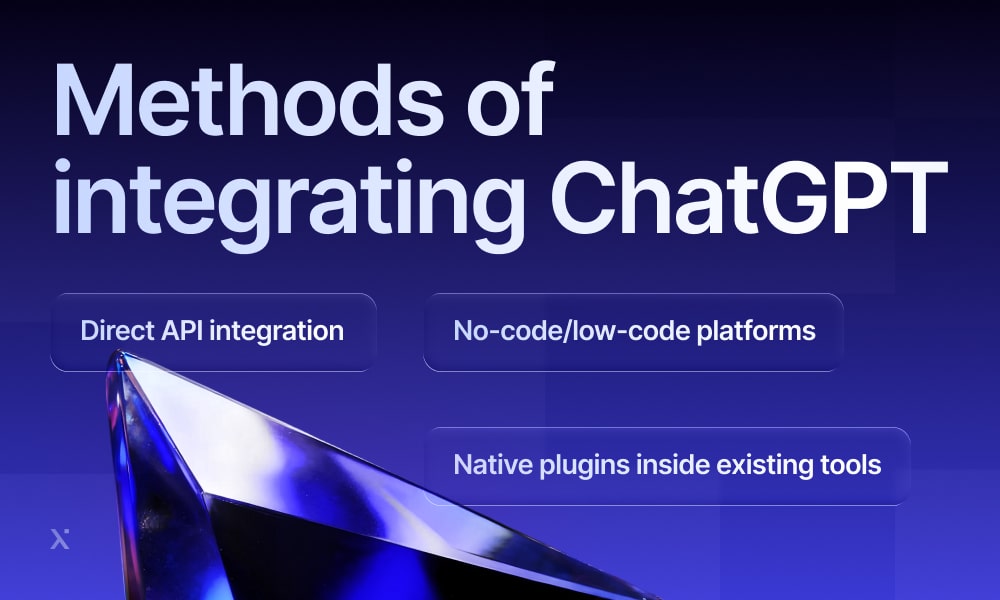
Each has its strengths, and most organizations ultimately mix and match as they mature. Let’s dive deeper into each of the methods.
1. Direct API integration
First comes direct API integration, which gives you maximum flexibility. Here, your backend communicates with the model through OpenAI’s API, providing the right context and processing the output as part of your workflow.
This method fits well with retrieval-augmented generation (RAG), so ChatGPT accesses the knowledge stored across your organization. It also enables the model to call your internal APIs when needed, turning a single request into actions like fetching records, updating systems, or carrying out multi-step tasks. Many teams also leverage OpenRouter GPT integration when they want flexibility.
Organizations with more complex needs often bring in machine learning development services to design custom pipelines or connect multiple internal systems.
Example
myLike, a platform serving travel, tourism, mobility, and hospitality companies, integrated GPT-4 (ChatGPT) directly via the OpenAI API into its enterprise travel application. The system now generates personalized recommendations for places and experiences, which are delivered to end users through white-label digital travel guides.
Why teams choose API integration
- Full control over prompts and logic;
- Ability to automate workflows across multiple systems;
- One consistent “AI brain” across all interfaces;
- Strong governance with all data flowing through your backend.
API Security Best Practices: An In-Depth Overview
2. No-code/low-code platforms
If the goal is to experiment quickly, no-code and low-code integration platforms are often the best place to start. Tools like Zapier and n8n, along with OpenAI’s own agent-building features, let teams connect ChatGPT to their systems without writing any backend code.
Instead of developing an integration from scratch, you assemble it visually: set a trigger, add a ChatGPT step, define conditions or routing rules, and within minutes you have a working automation. The whole process feels more like designing a flowchart than building software.
This approach works well for small teams and lightweight automations, though visual builders often become difficult to maintain as workflows become more complex.
Example
Zapier offers a template that listens for new messages in Salesforce and sends them to OpenAI to generate a draft reply, which is then saved back into Salesforce as a ready-to-review email.
Why teams choose no-code/low-code tools
- Fastest way to prototype and validate ideas;
- Ideal for department-specific workflows;
- Lightweight automations that don’t require backend logic;
- Accessible to teams without engineering resources.
3. Native plugins
Many modern SaaS platforms already offer built-in ChatGPT or “powered by OpenAI” features. CRMs, helpdesks, collaboration tools, and analytics platforms now embed AI directly into their interfaces, enabling automation with a single click.
Native plugins require almost no setup. All you need to do is to install the integration and authenticate your account, after that your team can start using AI immediately. The trade-off is that these plugins operate within a single tool, with no coordination across your wider systems. Each one comes with its own logic and prompts, which can lead to fragmented AI behavior across your stack.
Example
Salesforce users, for instance, can rely on native generative AI features to summarize case notes or draft personalized sales emails directly inside the CRM. Everything runs behind the scenes on GPT models, but to the user it appears as a simple built-in feature.
Why teams choose native plugins
- Fastest way to unlock AI inside a specific tool;
- Useful for improving a localized workflow;
- No need for cross-system automation;
- Ideal for small, low-risk steps before broader AI adoption.
Integration via API vs. platform plugins
Once teams understand the main Chat GPT integration paths, the next practical decision is choosing how deeply to embed ChatGPT into their systems. This is where two approaches are most commonly compared: building a direct API integration or relying on the native plugin built into a SaaS tool.
No-code tools sit outside your systems and coordinate workflows between them, while API integrations and platform plugins embed ChatGPT inside your tools. Since they solve different problems, the comparison here focuses on APIs and plugins only.
Below is a comparison across the dimensions that matter most in real deployments:
| Aspect | API integration | Platform plugins |
| Customization | Complete control over the model’s behavior | Limited to what the SaaS provider exposes |
| Workflow scope | Works across multiple systems | Stays confined to a single tool’s UI |
| Governance and security | Unified control over data and model governance | Each tool handles its own AI policies and logs |
| Data access | Can pull structured context from any internal system | Restricted to the data available inside one platform |
| Multi-system automation | Enables managing of complex, end-to-end workflows | Cannot automate beyond a single system’s boundaries |
So what’s the best choice?
There’s no single winner, the right approach depends on what your team needs. Teams pursuing deeper automation often rely on adaptive AI development to ensure the system continuously improves.
- API integrations are worth the investment when you need a cross-system intelligence that follows your rules and works with your data, forming a centralized AI layer that supports workflows across your entire stack.
- Platform plugins are ideal when you need instant results inside a specific tool your team already uses. They deliver quick, localized improvements by keeping AI focused within that single environment.
Most companies end up taking the best from both worlds: plugins for quick efficiency boosts, and Chat GPT API integration for the long-term backbone of their AI app development strategy. From here, it’s simply a matter of identifying the systems and workflows that benefit most from ChatGPT.

AI Integration for Business: A Practical Guide to Efficiency and Profit

AI in Software Development: It's More Than Hype, It's the New Hammer
Where to integrate ChatGPT in your systems
Most organizations already have the systems they need be that the communication platforms or core business systems. The challenge is that these systems rarely speak the same language, so it takes a huge amount of time switching between them and searching for answers.
ChatGPT becomes transformative when it’s placed directly inside these tools. Instead of acting as a standalone assistant in a separate tab, it becomes part of the workflow: ChatGPT works with the context your systems already store and supports processes where they actually happen. The common examples are:
- Drafting content inside your CRM;
- Summarizing tickets inside your helpdesk;
- Answering questions based on files in your drive;
- Preparing briefs from calendar events and Slack threads.
Let’s get into more details for the 4 most defensible categories where Chat GPT integration consistently creates the highest practical impact.
Core business systems
Core business systems are incredibly powerful, yet they place a quiet burden on teams: these systems store everything, but they rarely tell a clear story on their own. People spend a surprising amount of time piecing information together, interpreting what the data means, and translating it into something they can actually use. Much of the daily “busywork” comes from trying to make sense of the very tools meant to help.
Bringing ChatGPT into these systems changes that. Instead of users gathering context piece by piece, the model acts as the layer that reads and organizes it for them. The systems remain the backbone, but they become far easier to work with when an intelligent layer sits on top.
Where ChatGPT contributes most:
- CRM platforms: ChatGPT can assemble a clear call brief in seconds and suggest the next logical outreach step based on recent customer interactions.
- Support tools: The AI reviews the full context and drafts a polished response, and setups like Zendesk GPT integration allow it to summarize previous tickets as part of that workflow.
- HR and learning systems: ChatGPT generates role descriptions, rewrites policy text into clearer language, and turns internal materials into usable training content.

Digital HR in the Metaverse: Unlocking a New Dimension of Work, Collaboration, and Growth
The Role of Artificial Intelligence in Marketing: Key Use Cases
Collaboration and productivity tools
These tools hold the context behind almost every task, yet they often overwhelm more than they clarify. Information spreads across chats and files faster than anyone can keep up, and even simple actions like “catching up” or “finding the latest version” can quietly consume hours.
Integrating ChatGPT into these environments gives teams a way to work through that complexity without getting lost in it. Instead of reading every message or combing through countless documents, people can ask for what they need and receive an accurate snapshot of the situation. These tools stay exactly the same, but they feel more manageable.
Examples of ChatGPT contribution:
- Document hubs: AI can retrieve specific files and summarize large or outdated documents. This applies to setups like Notion GPT integration, where teams use AI to draft content and organize knowledge far more efficiently.
- Email and calendars: Instead of reading long threads, teams can get meeting overviews generated automatically. With Chat GPT Gmail integration, AI can also draft emails and prepare summaries directly inside Gmail.
- Collaboration tools: ChatGPT keeps track of fast-moving discussions and turns key points into structured tasks or updates. With Slack GPT integration, teams can automate channel summaries, and clarify decisions directly in Slack.
Messaging platforms
These are the spaces where people expect answers right away. Employees turn to internal chat the moment they hit a roadblock, hoping someone can point them in the right direction. Customers open a support chat because they don’t have the time or patience to read documentation. These channels sit at the center of how modern organizations communicate, yet they rely heavily on human availability and constant attention.
Instead of conversations stalling while someone hunts for a link or rewrites a response, ChatGPT steps in as a responsive first layer. This applies to setups like Chat GPT Slack integration, where AI assists inside internal channels, and Chat GPT WhatsApp integration, where AI can support conversations directly inside the messaging apps people already use. The best part is that it doesn’t replace the personal touch, but protects it by removing the repetitive back-and-forth that slows everything down.
High-impact areas for ChatGPT:
- Internal messaging: AI and GPT integration services can step into everyday discussions, supporting GPT integration business messaging use cases.
- Customer-facing chat: Instead of forcing users to wait for a human, ChatGPT can walk users through common issues immediately and collect the details a support agent will need. This includes setups powered by Chat GPT Zendesk integration.
- External messaging: AI can manage routine text-based interactions and handle tasks like reminders or quick updates without needing human involvement.

Chatbots in Healthcare: New Wave of AI

AI Chatbots in Banking: How The Industry Grows
Plugins and third-party services
Even in well-structured organizations, teams often step outside their core tools to check external data, compare options, or coordinate tasks across separate platforms. Each switch feels minor on its own, but together they create a noticeable drag on focus and workflow momentum.
Custom GPT integration with external services removes much of that friction. Many organizations combine this with custom AI chatbot development to build assistants that pull data from multiple systems and provide consistent answers without switching tools.
Areas where ChatGPT has the biggest impact:
- ChatGPT Plugins and Actions: These let ChatGPT reach beyond internal tools and interact with external services without forcing users to switch between apps.
- Automation platforms: ChatGPT can trigger multi-step workflows and move data across different systems from a single instruction.
- Third-party software: Many tools now offer GPT-based features inside their interface. A common example is previously mentioned GPT Notion integration, where AI helps teams generate documentation and maintain internal knowledge libraries.
Industries already leveraging ChatGPT integrations
Not all industries approach AI the same way. Some were experimenting with ChatGPT a year ago and are now quietly rebuilding entire workflows around it. Others have realized that even a single Chat GPT integration can remove hours of manual work that used to be built into their day.
The industries below share a few things in common. They deal with large volumes of text-driven work, rely on rapid decision-making, and feel the limitations of manual processes more sharply than others. In these environments, adopting ChatGPT is becoming an operational requirement.
Software, IT and technology services
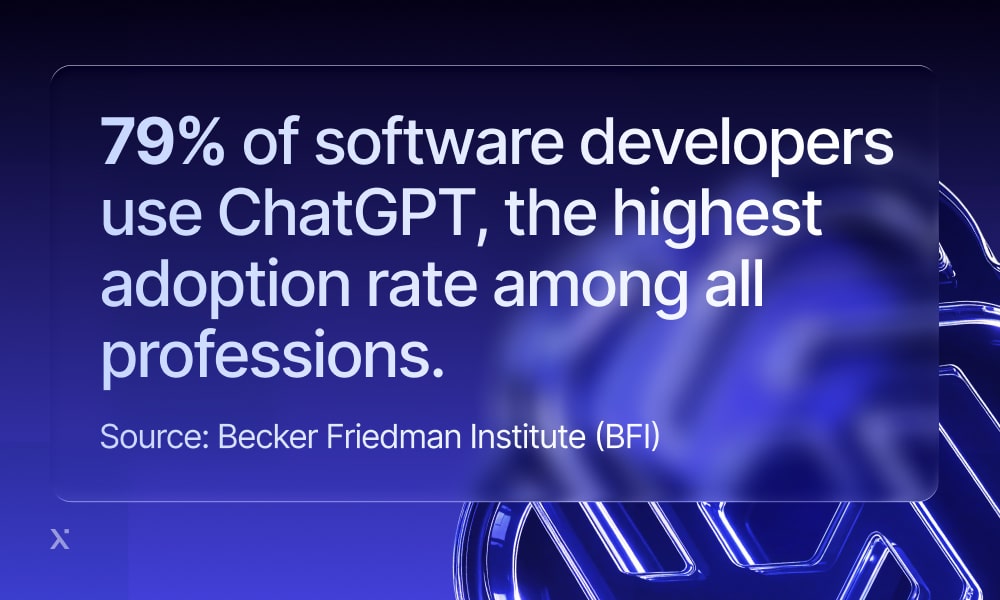
This industry already lives in code, logs, tickets, specs, and design docs, so adding a language model that can read and reason over all that information felt like an immediate upgrade.
You can see this most clearly in how development work has changed. AI coding assistants such as GitHub Copilot are now woven into the editor itself: they suggest implementations, summarize changes, and help explain unfamiliar code as developers work. GitHub reports that Copilot’s user base has grown rapidly since launch and is now used by 90% of the Fortune 100, which shows how deeply this pattern has taken root inside serious engineering environments.
Financial services and FinTech
The financial world is no stranger to complex paperwork, but when ChatGPT-style models stepped in, they started clearing the bottlenecks that had quietly defined daily work for years. Tasks that once demanded hours of manual review can now begin in minutes with the right Chat GPT integration services.
One of the clearest moves in this direction came in October 2025, when PayPal announced a collaboration with OpenAI to bring payments directly into ChatGPT. The integration lets users complete purchases through their PayPal wallet inside the chat environment, turning ChatGPT into a transaction-ready front end for financial interaction.
Retail and ecommerce
Retail has moved past using ChatGPT-style models for basic product recommendations and is now experimenting with letting consumers shop through conversation. A major step in that evolution came when Walmart partnered with OpenAI to allow customers to complete purchases directly inside ChatGPT, turning the chat window into a checkout counter.
Instead of typing search terms and scrolling through product listings, shoppers can simply describe what they need, for example, “re-order all the basics I bought last month.” The system then pulls items from Walmart’s catalog, assembles a cart, and completes the checkout process without requiring the user to leave the chat. Walmart refers to this approach as “agentic commerce,” a shift from reactive browsing to proactive fulfillment powered by AI.
How AI Is Revolutionizing the eCommerce Landscape

From Idea to Launch: The Essentials of eCommerce MVP Development
Healthcare
Healthcare runs on clinical notes and endless documentation that follows every stage of care. ChatGPT-style models are being introduced to ease that pressure. Not by making clinical decisions, but by assisting with the administrative and interpretive tasks that sit around them.
A good example is AI that creates clinical notes automatically during patient visits. Kaiser Permanente reports that, after rolling out generative AI documentation tools across its clinics, physicians used the system more than 2.5 million times in a year and saved 15,000 hours of clerical work. Broader research echoes this impact: when similar LLMs support documentation tasks, administrative time can drop by 40–70% and note accuracy can approach 90% when human oversight remains in place.
Professional services (Consulting, tax, accounting)
Professional services revolve around reading, writing, and interpreting text and most of the value comes from how quickly and accurately that text can be understood, so it’s no surprise that ChatGPT-style tools didn’t stay experimental here for long.
A good illustration of this shift is what’s happening at VWV, a mid-sized UK law firm. According to the company, it has invested around £250,000 in AI and partnered with legal AI vendor Robin AI to embed generative tools into daily work. One of the ideas that made it into production was using AI to take attendance notes in client meetings, which has cut the time trainees spend on note-taking by about 50% and freed them up to participate more meaningfully in discussions.

AI for Project Management: Everything You Need To Know

AI Business Ideas, Tools & Real-World Wins That Actually Spark Something New
The legal implications of ChatGPT
As much as the Chat GPT integration unlocks efficiency, it also brings legal responsibilities that companies can’t ignore. The moment AI begins handling internal knowledge, questions about privacy and compliance follow. The good news is that most of these challenges are manageable as long as organizations understand the risks and build guardrails around how ChatGPT is used.
Here are the key legal areas businesses need to consider when bringing ChatGPT into their operations.
- Data privacy (GDPR, CCPA, etc.): ChatGPT often touches personal or sensitive information, which means businesses can’t treat it as a black box. Regulations such as GDPR and CCPA expect companies to think carefully about what data they send into AI systems, how that information is handled, and who has access to it. Many address this by defining internal prompt-handling rules and choosing enterprise deployments that prevent data from being used for model training.
- Copyright considerations: AI-generated content can drift uncomfortably close to existing copyrighted material, especially when the model mirrors phrasing or structure it has seen before. To stay on the safe side, businesses should use ChatGPT output as a starting point and rely on human review before publishing or distributing anything externally.
- Biased or inaccurate output: ChatGPT can produce polished but misleading answers, which becomes a concern in legally or ethically sensitive decisions. The safest approach is to treat ChatGPT as a support tool and keep a human in the loop for anything that carries legal, ethical, or business impact.
The EU AI Act regulates AI as a defined system that must be assessed and monitored. Whether it applies to your business depends mostly on how you use ChatGPT. Everyday tasks like drafting or summarizing are considered low-risk and generally require only transparency and basic human oversight. But when AI plays a role in hiring, credit decisions, or other sensitive processes, the rules become stricter. The Act also applies to non-EU companies if their AI tools reach EU users. The key point: you don’t need to be a regulatory expert, but you do need to know which of your AI workflows fall into higher-risk categories that require more control.
Leading AI partners for ChatGPT business integrations
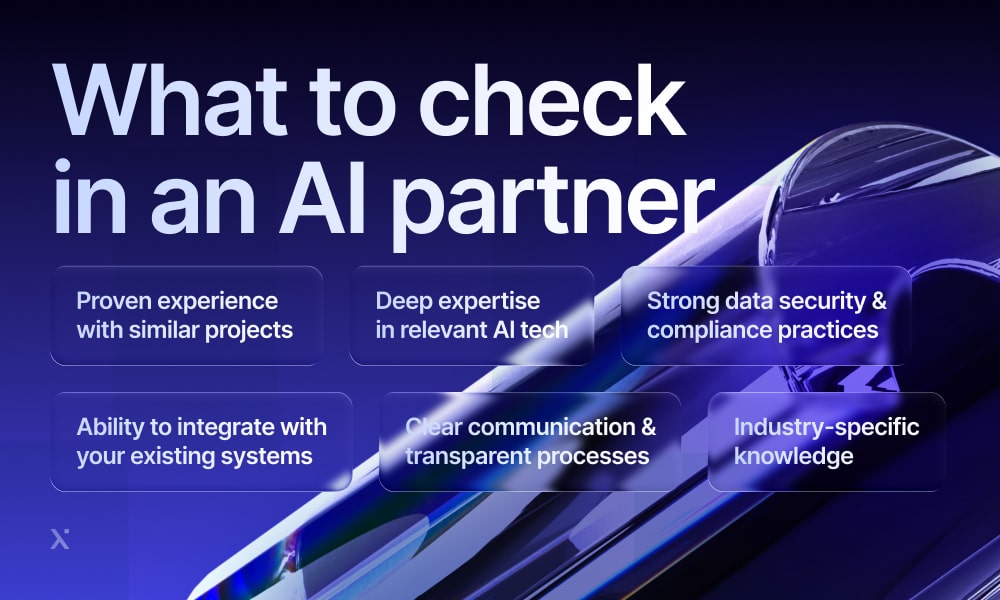
Anyone can promise “AI solutions,” but only a handful of teams can actually build systems that plug into your workflows. The companies below are the ones businesses turn to when they’re done experimenting and need AI that actually works.
PixelPlex
| Clutch rating | 4.9 / 5 |
| AI expertise | Generative AI integration services, LLM-based copilots, computer vision, enterprise AI, Web3 security solutions |
| Best suited for | Companies looking for AI solutions that combine deep engineering with complex domains like Web3, cybersecurity, retail, etc. |
PixelPlex is often positioned as a full-cycle engineering partner capable of delivering complex, multi-layer AI projects, with more than 450 completed solutions in its portfolio. Their differentiator is the ability to blend AI with advanced technologies such as blockchain, Web3 tooling, computer vision, and secure system architecture to build products that go far beyond basic automation.
Some of their most notable AI projects include Web3 Antivirus, a machine-learning–powered browser extension that analyzes smart contracts and Web3 interactions to help users avoid scams, and an AI-driven warehouse optimization system that reduced order preparation time for a major hypermarket chain by up to 80%.
They typically partner with organizations that need more than a simple chatbot or a straightforward API integration. PixelPlex also invests heavily in its own R&D, allowing many of their enterprise AI development projects to be built on proprietary components rather than standard off-the-shelf tools.
InData Labs
| Clutch rating | 4.9 / 5 |
| AI expertise | Computer vision, OCR, data extraction, predictive analytics, data engineering |
| Best suited for | Organizations that deal with large volumes of unstructured data (documents, receipts, images) and want automation layered into their workflows |
InData Labs is primarily known for its R&D-driven approach to machine learning and computer vision. Their sweet spot is turning messy real-world data into structured insights that teams can actually use. Many companies approach them after discovering the limits of off-the-shelf AI tools, especially when accuracy starts to break down or when data quality is inconsistent.
What also sets them apart is their ability to integrate these custom models into existing business processes. Clients typically come to InData Labs not just for model development, but for help building solutions that keep performing under real-world conditions.

Top 10 AI Software Development Companies
Top 10 Machine Learning Development Companies
Neoteric
| Clutch rating | 5 / 5 |
| AI expertise | Generative AI platforms, recommender systems, LLM optimization, AI strategy and discovery workshops |
| Best suited for | Companies that need a hands-on AI partner, from identifying use cases to building complete generative AI products |
Neoteric is known for being a highly collaborative AI partner. Instead of jumping straight into development, they spend time helping clients uncover the real problems worth solving and validating whether AI is the right tool for the job. This approach makes them particularly effective for teams that are looking for a solution that fits their product and long-term strategy.
Their portfolio spans generative AI platforms and predictive models, they’re especially strong at blending engineering expertise with product thinking. Clients often bring Neoteric in when they need to design an AI feature that aligns with user experience or move from a proof of concept to a fully functioning product.
DataRobot
| Clutch rating | 4.9 / 5 |
| AI expertise | Predictive AI, generative AI apps, AutoML, AI governance, AI observability |
| Best suited for | Large organizations seeking a full AI platform rather than a custom dev team |
DataRobot differs from the other companies on this list because it’s not a service provider, but a full enterprise AI platform. Instead of building custom solutions from scratch, DataRobot gives organizations the infrastructure and tooling they need to both create and deploy AI models.
Large organizations often choose DataRobot when they want a standardized way to build and roll out AI applications across multiple departments without reinventing the wheel each time. The platform handles everything from model training and evaluation to monitoring and compliance checks, which makes it especially attractive in industries where auditability and risk management are non-negotiable.
ThirdEyeData
| Clutch rating | 4.6 / 5 |
| AI expertise | Predictive maintenance, NLP, document intelligence, generative AI applications, AI agents |
| Best suited for | Mid-size and enterprise companies needing both data pipelines and AI models delivered end-to-end |
ThirdEye Data positions itself as the kind of partner you bring in when your organization needs to modernize its data foundation and build real AI capabilities at the same time. Many of their clients come to them with fragmented data sources or early AI experiments that never made it past the proof-of-concept stage. ThirdEye steps into that complexity and helps turn it into something usable.
What makes them particularly valuable is their ability to handle the entire lifecycle, from cleaning and structuring data to designing machine learning models and deploying generative AI agents that support knowledge retrieval or decision-making. They often work in environments where the stakes are operational and where AI must deliver reliable performance.

How to Hire the Best Developers for Your Project?

App Development for Startups: Expert Strategies for Technology Decision Makers
Conclusion
If there’s one thing that becomes obvious after watching how real teams use ChatGPT, it’s that the real payoff doesn’t show up until the model is plugged into the systems where work actually happens. The companies seeing the biggest impact aren’t running huge AI overhauls or secret innovation labs. They’re picking one workflow that’s slowing people down, wiring ChatGPT into the tools behind it, and letting the results prove the value.
If you’re ready to move past the copy-paste routine, you don’t need a massive AI transformation to get started. Choose a single process that feels painfully manual, try integrating AI or developing an AI copilot, and give your team a version of the workflow that finally moves the way it should. The companies doing this are already pulling ahead of the ones still treating AI as an experiment, and that divide is growing faster than many expected.
And if you want a partner who can turn that idea into real software, PixelPlex is an AI development company that has spent years building platforms that teams trust in production. We’d be glad to help you shape your own solution – just contact us when you’re ready to explore it.
FAQ
Most companies start small and plug ChatGPT into places where it can quietly improve the work people already do. The simplest path is to connect the OpenAI API to your existing tools through your backend or an integration platform so nothing about the current workflow has to change. Teams usually pick one or two clear use cases first and let ChatGPT assist with a single part of the process, like drafting messages, summarizing information, or answering internal questions.
First, choose the right product tier for your Chat GPT integration. ChatGPT Enterprise, Business, Edu, and the OpenAI API don’t use your data for model training by default and give you full control over security settings. After that, it’s important to set internal rules around what employees should and should not share with the model, especially when it comes to financial or customer information. Most companies combine these rules with access controls and short onboarding sessions so everyone understands the boundaries.
Costs vary a lot depending on what you build. A simple internal tool that uses the ChatGPT API integration is often affordable because you only pay for API usage and a small amount of development work. A more advanced Chat GPT integration that includes UI and deeper system integration can reach tens of thousands or even hundreds of thousands of dollars. Companies build prototypes or MVPs for roughly $20–80k when they work with an external partner and rely on existing infrastructure, while large in-house projects that involve custom models or heavy backend work can easily exceed $100k. The most reliable approach is to start with a small pilot that uses the API and existing systems, measure the value, and then decide if a larger build is worth the investment.
Most organizations reduce risk in Chat GPT integration by using the model as a support tool and relying on a human-in-the-loop approach. For work that affects legal, financial, or HR outcomes, a human reviews the output before anything moves forward. Teams also set clear boundaries for where AI is appropriate and write prompts that keep the model focused on summarizing or reframing information rather than generating new claims.
A reliable way to measure ROI is to track a few specific KPIs before and after the integration (time spent per task, number of support tickets handled per agent, speed of producing reports, etc.). After a Chat GPT integration, you compare the improvements with the cost of building and maintaining the solution. If a team saves hours each quarter and that time shifts to higher-value work, those gains become part of the ROI, along with any increase in output quality or revenue impact.
A lot of teams start without a real plan for Chat GPT integration and assume that “using AI” on its own will fix their problems. Others forget the basics, like cleaning up their data or teaching employees how to actually use the tool, which leads to low adoption. The ones who get it right usually start small with a clear use case and involve the right people early on, then set simple rules for how AI should be used and improve things step by step instead of trying to automate the whole business on day one.